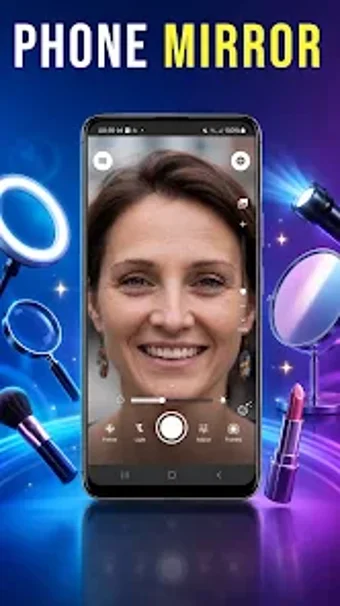
Phone Mirror Plus: Portable Android mirror for detailed grooming
Phone Mirror Plus, from Blazing App Studio, turns an Android device into a high-definition portable mirror for quick grooming and makeup checks. The app supplies a live mirror-style camera view with pinch-to-zoom and a front/rear camera toggle, focused on rapid access. Designed with a minimalist interface, it loads quickly and keeps controls visible for brief touch-ups. The target audience includes travelers, busy professionals, and beauty-minded users who need precise, on-the-go appearance checks without carrying a physical mirror.
How it handles close-up grooming and makeup checks
The app's freeze-frame tool pauses the live view for steady inspection, which supports hands-free checks of side profiles or the back of the head. A dedicated snapshot capture saves still images from that paused view, letting users compare angles or record a look. That combination addresses tasks such as applying eyeliner, inspecting fine hairlines, or checking contact lenses, where small movements otherwise blur a live preview.
What Android permissions and setup it requires
The app runs on Android and explicitly requests camera access to present the live view and storage access to preserve saved snapshots. Permissions required:
- Camera permission to enable the mirror view
- Storage permission to save snapshots
Its minimalist, lightweight design reduces start-up delay and keeps controls on-screen for quick adjustments. For dim environments the app can use screen illumination and the device's LED flash to improve visibility when ambient light is low.
Who benefits from it compared with a regular camera app
The app positions itself as a fast daily tool that surfaces small details more readily than a standard camera application, making it practical for quick touch-ups between meetings or during travel. Its interface focuses on immediate visual checks rather than photography controls, so users seeking advanced editing or post-processing workflows may prefer a dedicated camera application for that work.
To sum up, a practical pocket mirror for quick appearance checks
To sum up, the app is a pragmatic option for travelers and beauty-minded users who want fast, detail-oriented appearance checks on an Android device, backed by Blazing's portfolio and top-100 placements in lifestyle rankings. One consideration: it emphasizes immediate visual checks over photography-grade controls, so people who need advanced editing may prefer a dedicated camera application. This positioning makes the app suited to quick daily touch-ups.